Trainer toolkit
Article by
Mindrift Team

Every time you type something into an AI model, you're writing a prompt — whether it's a full paragraph of instructions or a quick one-liner like "make this better."
With AI becoming so ingrained in our day-to-day lives, most people do this on autopilot and get okay results. But a small shift in how you write that request can be the difference between a generic, forgettable answer and something genuinely useful.
Writing strong, well-structured prompts is a real skill — one that can earn you money. Companies pay AI trainers specifically to write prompts, test how models respond, and refine the instructions until the output is right.
You're probably already doing a rougher version of that job every single day. Want to get better at it, improve your own AI results, and build a skill with real market value? Start with these tips from the experts.
1. Give the AI a persona
Before you ask for the task, tell the AI who it should "be." A role can set the frame for the entire response, shaping the vocabulary, priorities, and level of formality in the output. If you skip this step, the AI defaults to a generic, all-purpose voice that fits no one in particular.
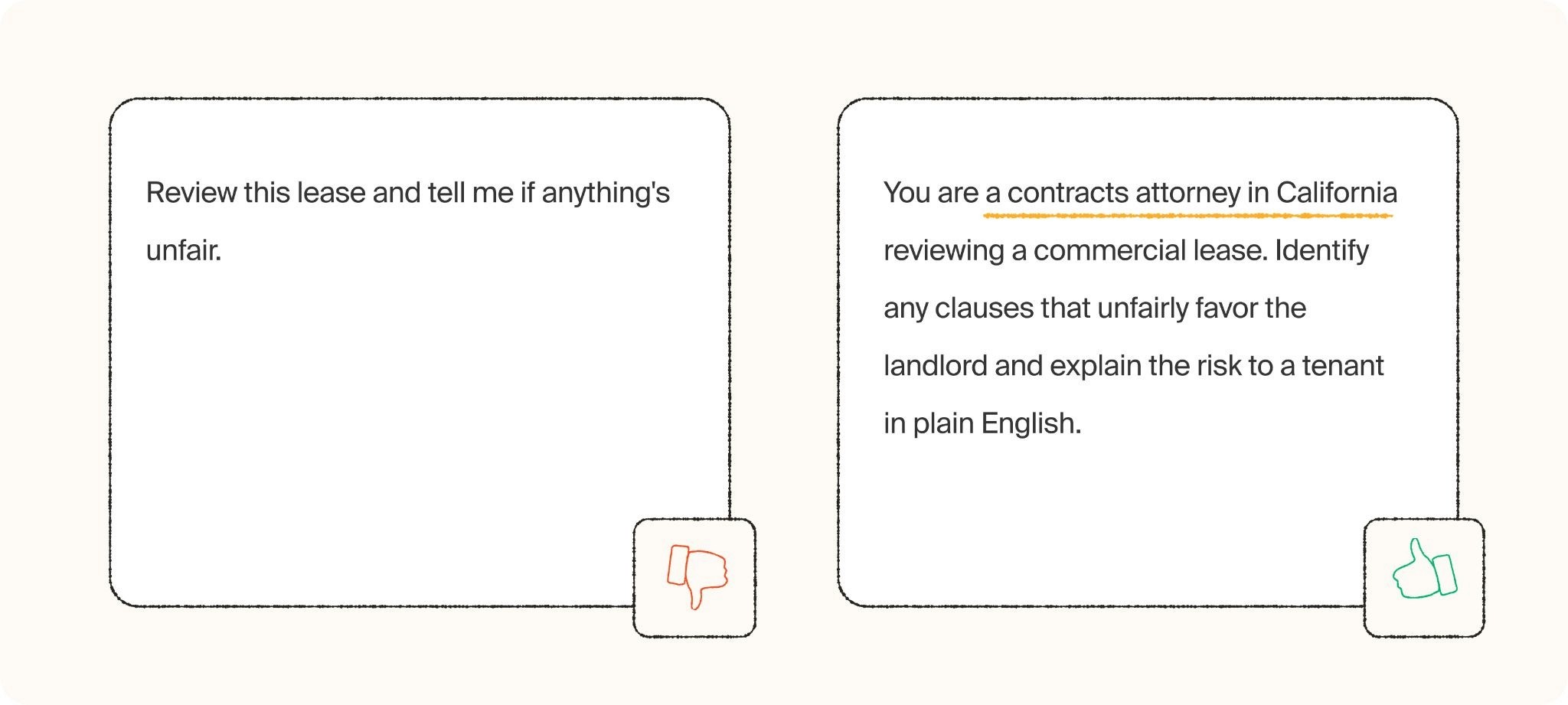
Giving a role also helps the AI make small judgment calls on your behalf. If you say you're a nurse writing to a patient, it will naturally soften medical jargon. If you say you're a lawyer drafting a clause, it will lean formal and precise. Establishing a person creates a filter for the AI model to make decisions through.
Expert tips:
Start the prompt with "I am a [job title/role]" or "Act as a [role]"
Match the role to your actual context, not a generic label — "marketing manager at a small nonprofit" beats just "marketer"
If the output should be addressed to someone specific, name their role too (for example, "writing to a new employee")
Reuse the same role across a whole session so the AI stays consistent
Why it matters
A role gives the Al a frame of reference. Without it, you get a bland, one-size-fits-all answer. With it, you get something written for your actual situation.
2. Add context, not just instructions
An instruction tells the AI what to do, but context tells it how to do it well. Most disappointing AI answers aren't the result of a bad model but of a prompt that assumed the AI already knew things it couldn't possibly know. Criteria like your audience, your constraints, what you've already tried, or what "good" looks like for your situation shouldn’t be a guessing game for the model.
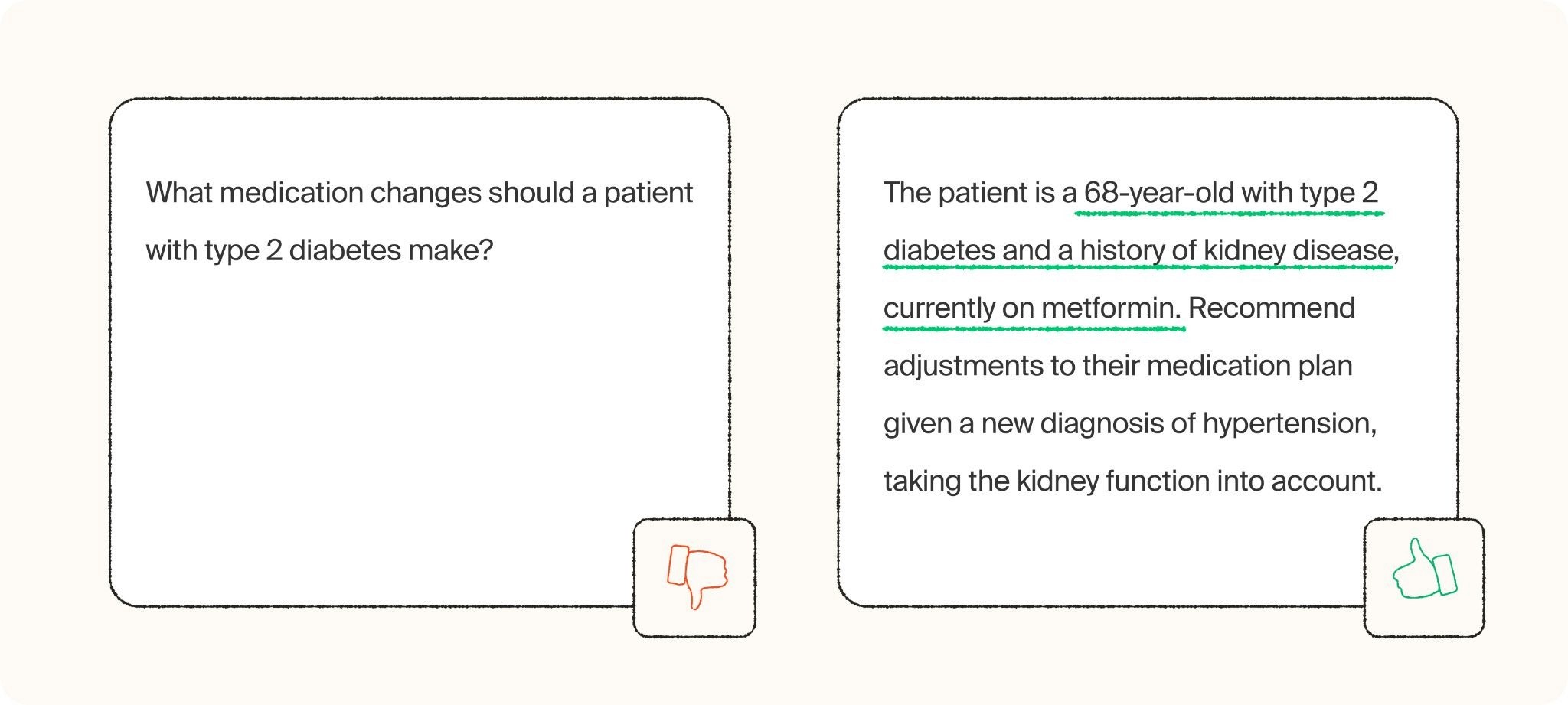
Think of context as everything you'd tell a new hire on their first day before handing them a task. You wouldn't just say "write the report", you'd tell them who it's for, what's already been decided, and what to avoid repeating from last time. AI needs the same onboarding, every time, because it has no memory of your world beyond what you put in the prompt.
Expert tips:
Mention who the output is for (a client, your team, a general audience)
Include relevant constraints (deadlines, budget, tone requirements, things that must be included or excluded)
Reference prior attempts or decisions so the AI doesn't repeat mistakes or contradict past work
If there's a document, data, or previous message the answer depends on, add it in or summarize
Why it matters
Context turns a vague answer into a targeted one. The Al can't read your inbox, your company culture, or your intentions — you have to hand it the details that matter.
3. Specify the output format
Even a well-informed AI will guess at format if you don't tell it what you want, and its guess often doesn't match what you actually need. Five paragraphs when you need three bullet points still means you have to redo the work yourself, which isn’t ideal.
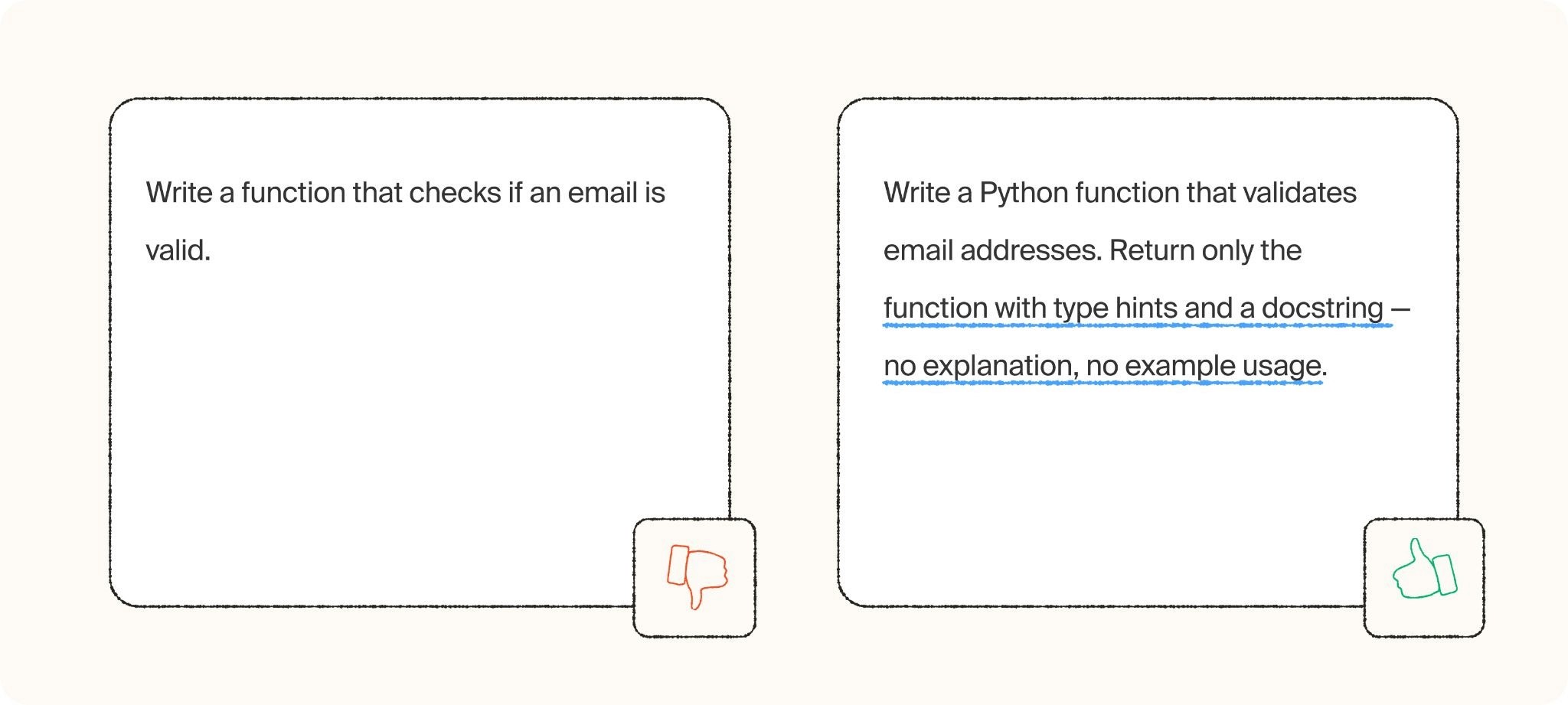
Format includes more than "list versus paragraph." It covers length, structure, headers, whether you want code blocks, tables, or numbered steps, and even things like reading level. The more specific you are about the finished shape of the answer, the less editing you'll do afterward.
Expert tips:
State the format explicitly: bullet points, numbered list, table, plain paragraph, email, etc.
Give a length constraint (word count, number of bullets, "one paragraph")
Ask for specific structural elements if you need them (a subject line, a summary at the top, a call to action at the end)
If you're going to reuse the output somewhere specific (a slide, a text message, a caption), say so — it changes the ideal length and tone
Why it matters
An email and a blog post don't look the same, and neither should your prompts. Spelling out the format up front saves you a round (or three) of "make it shorter" follow-ups.
4. Say what you want, not what you don’t want
It's tempting to prompt by ruling things out:
"Don't be too salesy"
“Don't use jargon"
"Don't make it sound robotic"
The problem is that a list of negatives tells the AI what to avoid but not what to aim for. You leave it guessing at the actual target when a few positive, concrete directions can remove that guesswork.
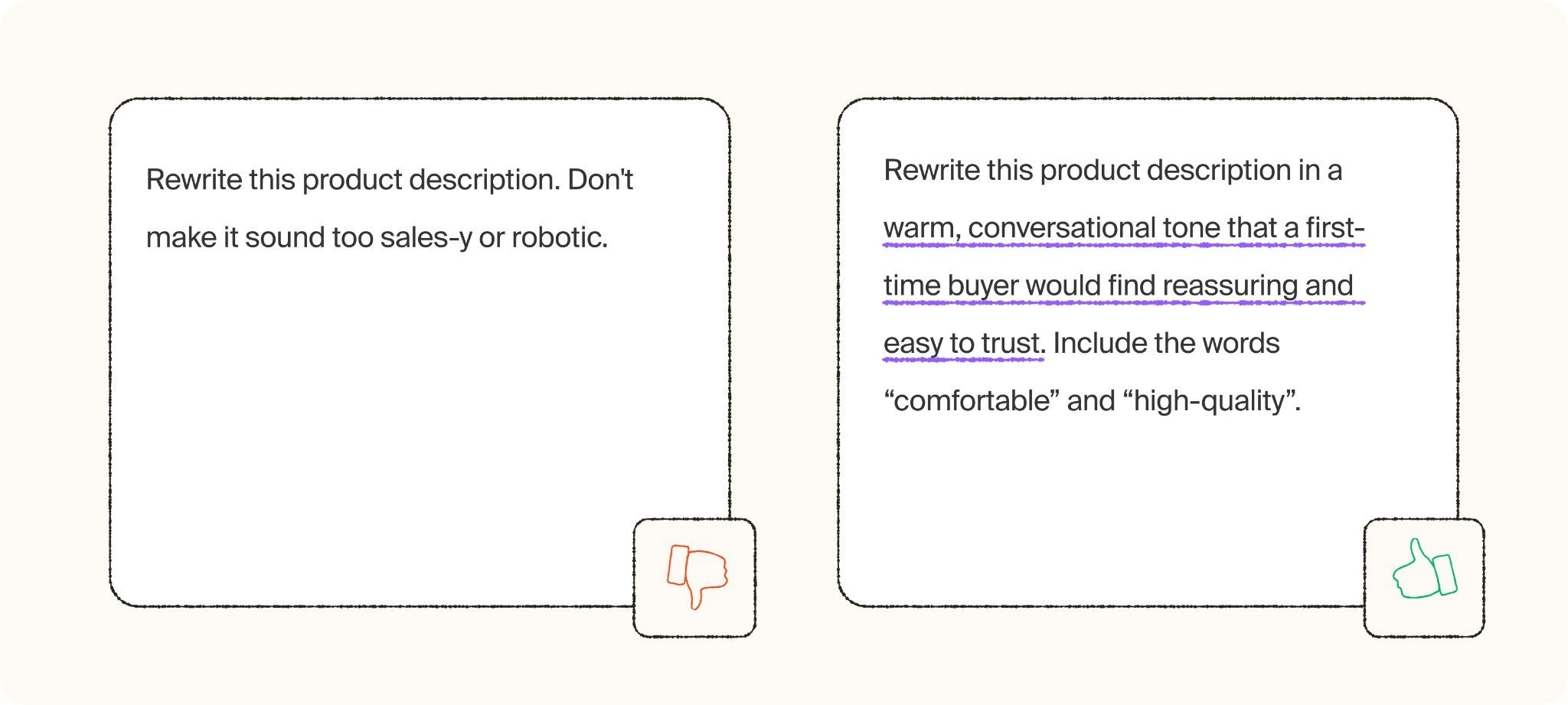
This shift in phrasing often produces a noticeably better first draft, because you're describing the destination instead of a map of wrong turns. It also tends to make prompts shorter and clearer, since you stop stacking up exceptions and start stating one clear goal.
Expert tips:
Replace "don't be too formal" with a specific style, like "write in a casual, conversational tone"
Replace "don't be vague" with a specific ask, like "give two concrete examples"
If you catch yourself writing "don't," pause and ask what you'd want instead
Keep restrictions only for genuine hard rules (legal language, banned words) and phrase everything else as a positive goal
Why it matters
Models respond better to clear, positive direction. A pile of "don't" leaves too much room for interpretation. Tell it what to do, not just what to avoid.
5. Show (visual and text) examples
Explaining a style in words is hard, even for humans, which is why "make it sound more like me" is such a common (and frustrating) piece of feedback to receive. AI has the same problem: a written description of tone or structure is an approximation, but an actual example is the real thing. Showing, rather than telling, closes that gap almost instantly.
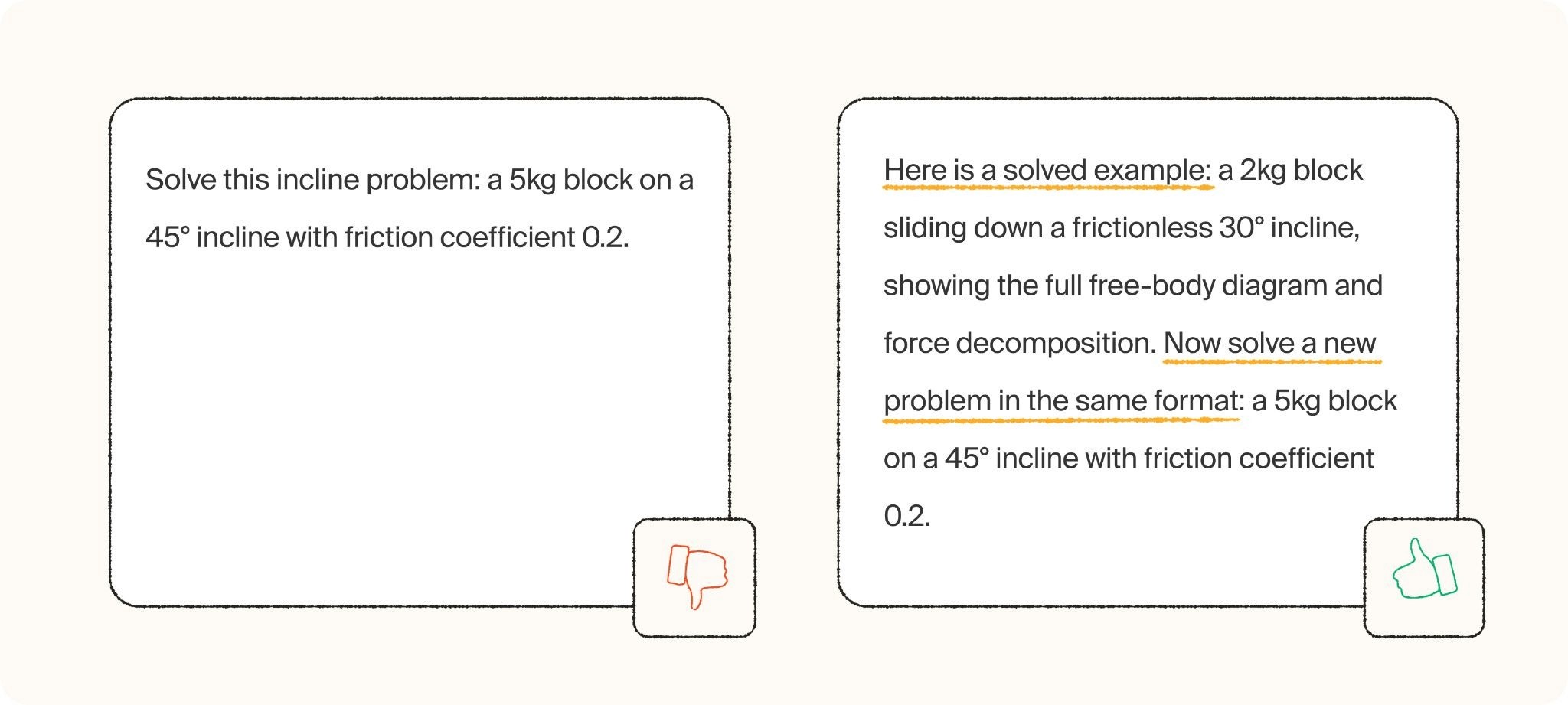
This is especially powerful for anything with an established pattern like FAQ answers, product descriptions, social captions, customer replies. One or two solid examples teach the AI your structure, your vocabulary, and your voice far more precisely than a paragraph of adjectives ever could.
Expert tips:
Paste in one or two examples of the exact style, tone, or format you want
Choose examples that represent your best work, since the AI will pattern-match to whatever you give it
Point out what you like about the example if it's not obvious ("notice the short sentences and the question at the end")
For repeated tasks, save your best example and reuse it as a template in future prompts
Why it matters
A good example teaches the pattern faster than any explanation could. The Al picks up on structure, tone, and depth almost instantly.
6. Ask the model to think step-by-step
For anything with more than one moving part, like comparing options, planning a sequence, or analyzing a problem, asking the AI to reason through it in stages produces noticeably better results. Jumping straight to a conclusion tends to skip over considerations that a slower, staged process would catch.
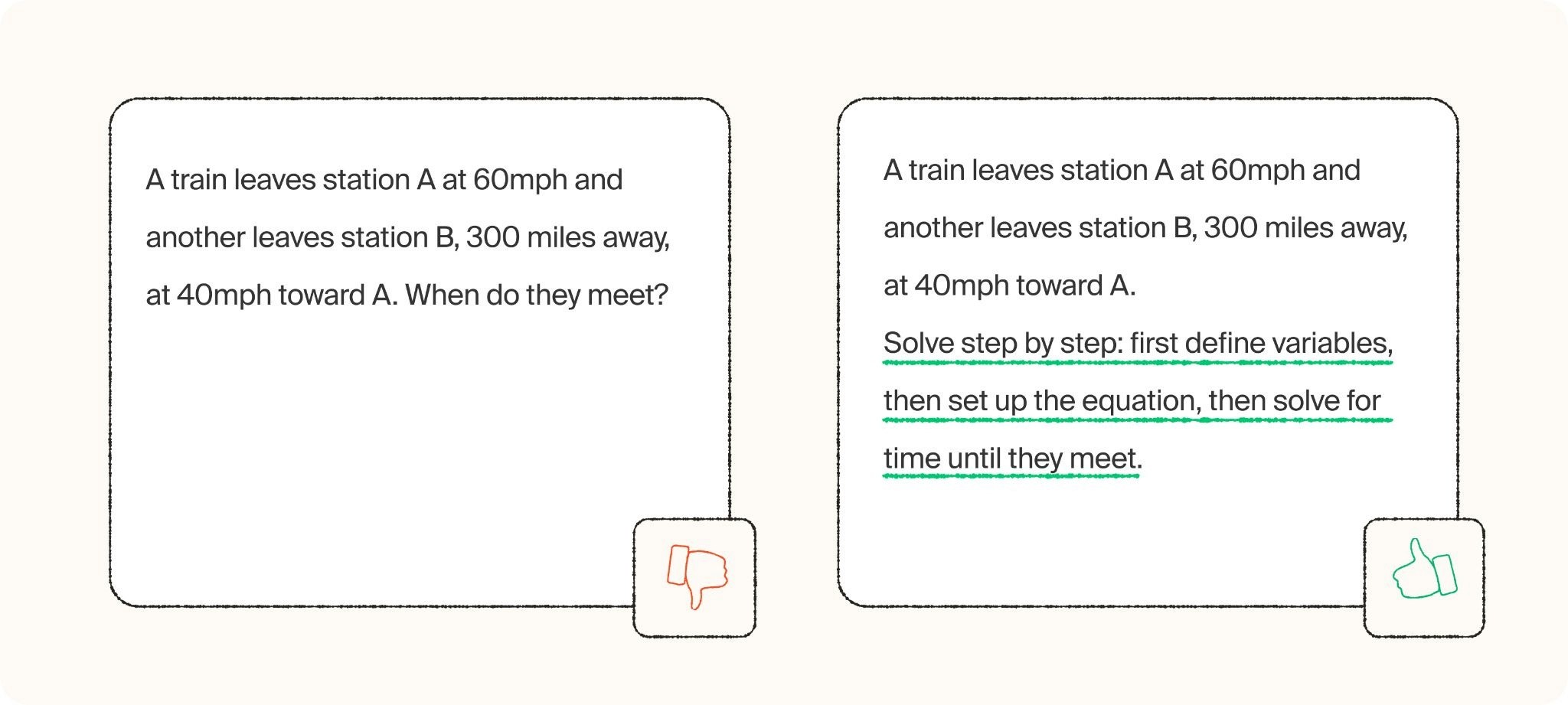
This tip matters most for tasks with real complexity or trade-offs. For a simple, single-step request, step-by-step reasoning is overkill. But the moment a task requires weighing multiple factors or reaching a decision through several stages, spelling out those stages up front keeps the AI from cutting corners.
Expert tips:
Break the task into the stages you want covered, in order ("first identify the options, then evaluate each, then recommend one")
Use phrases like "let's think step-by-step" or "walk through your reasoning before giving a final answer"
For decisions, ask the AI to list pros and cons for each option before concluding
If the first answer feels shallow, ask it to redo the same task "showing your reasoning this time"
Why it matters
Breaking a task into steps produces more thorough, logical answers than asking for the whole thing in one leap — especially for anything analytical.
7. Treat it like a conversation
The biggest mindset shift in prompting is realizing you don't need to get it right the first time. AI conversations are iterative by design. You can react to an output the same way you'd give feedback to a human, and the AI will adjust without needing the whole request restated.
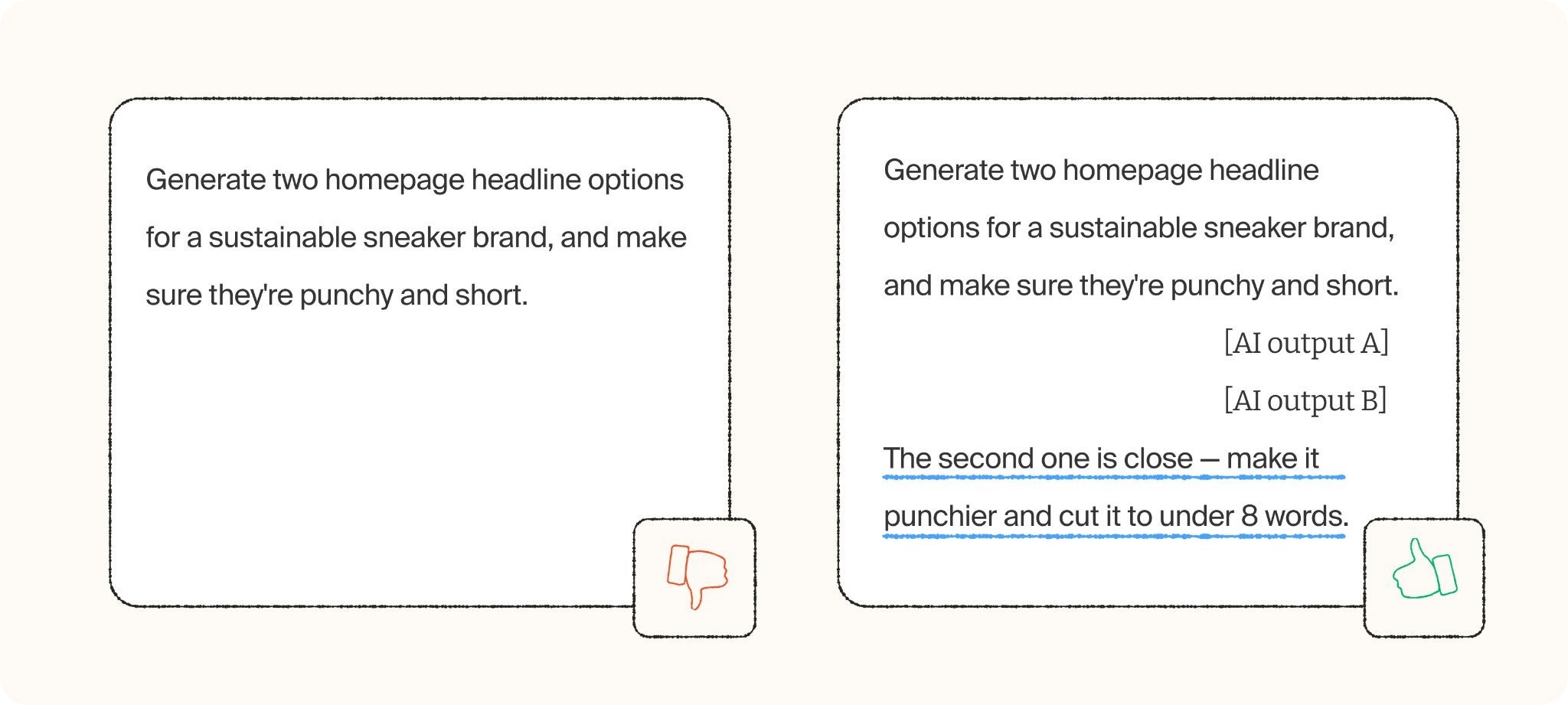
Most people abandon a mediocre answer and start over with a longer, more complicated prompt, hoping more detail will fix it. It's usually faster to just respond to what you got: point at the specific thing that's off, and ask for that one change. Two or three short rounds of feedback almost always beat one attempt at the perfect prompt.
Expert tips:
React to the first answer directly: "make this more concise," "too formal, try again," "I like this part, expand on it"
Give one piece of feedback at a time rather than stacking multiple changes into a single follow-up
Reference specific parts of the response instead of asking for a full rewrite
Save prompts that worked well so you can reuse or adapt them next time
Why it matters
Prompting is iterative. The best results almost always come from two or three rounds of back-and-forth, not one perfectly worded first attempt.
Article by

Mindrift Team


